
Table of Contents
- Start With Safe Checks
- When the Machine Will Not Start
- Slow Rollers or Cane Jamming
- Low Juice Output
- Noise, Vibration, and Overheating
- Leaks, Cleaning, and Hygiene
- When to Call for Service
A practical troubleshooting guide for commercial sugarcane juicer operators. Identify safe checks for starting, feeding, extraction, noise, leakage, and cleaning problems before arranging qualified service.
Start With Safe Checks
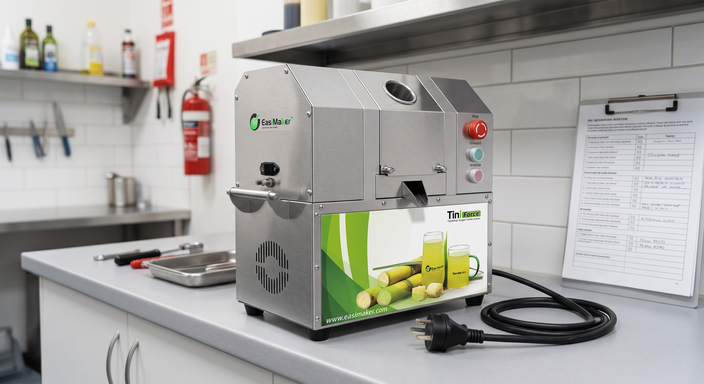
Commercial sugarcane juicer troubleshooting should begin with a safe, simple inspection: stop the machine, isolate it from the power supply, remove cane only after the rollers have fully stopped, and check the manual for the model-specific procedure. Do not bypass guards, interlocks, overload protection, or electrical safety devices.
Most operating faults fall into a few areas: incorrect power supply, blocked or poorly prepared cane, residue around rollers and juice paths, worn drive or roller components, or a fault that needs qualified service. Record what happened before the issue appeared, including the cane condition, cleaning performed, sound or smell noticed, and any indicator status. This information helps prevent repeat downtime.
Before opening panels or attempting adjustment, confirm that the unit is disconnected. Internal electrical work, drive-system adjustment, and replacement of safety-related parts should be handled by trained personnel using the applicable manual and local safety requirements.
When the Machine Will Not Start
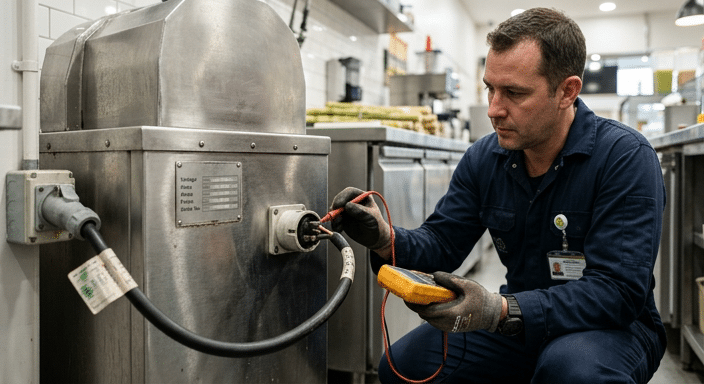
If the machine does not start, do not repeatedly cycle the switch. First check whether the plug, isolator, outlet, and protective device are in the normal operating position. Then compare the available supply with the voltage, frequency, and phase shown on the machine rating plate. A supply mismatch can prevent correct operation and may damage electrical components.
Check that emergency-stop controls are released and that covers, guards, and any safety interlocks are correctly positioned. If the machine stopped during a heavy feed, allow it to cool if the manual requires this, clear cane and residue with power isolated, then follow the specified reset process. Never reset protection repeatedly without identifying why it tripped.
For a structured review of electrical symptoms, see diagnosing electrical faults in commercial sugarcane machines. Confirming the electrical specification before installation is equally important; refer to sugarcane juicer power supply requirements.
Slow Rollers or Cane Jamming
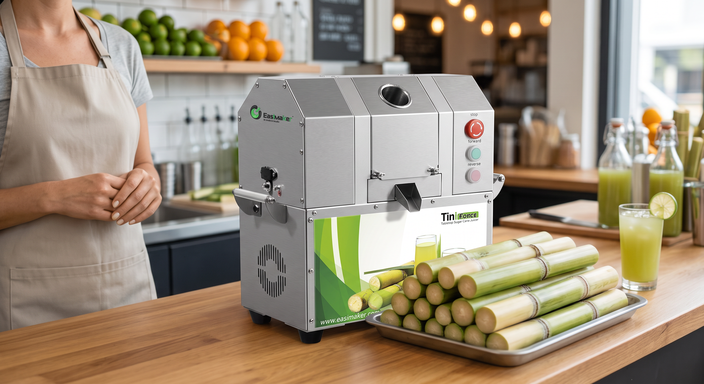
Slow roller movement, slipping, or a jam often starts with the cane rather than the machine. Cane that is excessively thick, hard, dirty, bent, or cut unevenly can feed poorly. Prepare cane consistently, remove unsuitable pieces, and introduce it at the feed opening as instructed for the machine. Do not force cane into the rollers or use hands or improvised tools to clear a moving machine.
With power isolated, inspect the feed area and roller surfaces for fibrous buildup, sticky residue, foreign material, or damaged parts. Clean only with methods approved for food-contact equipment. If the rollers remain slow after cleaning and using appropriately prepared cane, the cause may involve the drive system, rollers, bearings, or controls. That requires a service assessment rather than operator adjustment.
Frequent jams can also indicate that the machine class does not match the operation’s cane preparation process or service demand. The commercial versus home sugarcane juicer guide explains why duty cycle, construction, and maintainability matter in daily service.
Low Juice Output
Low juice output should be assessed as a process issue first. Cane freshness, variety, storage conditions, diameter, trimming quality, and operator feeding method all affect the result. Compare performance using similar cane and a consistent preparation routine before concluding that the machine has a mechanical fault.
Next, clean the roller area and juice path according to the manual. Residue can interfere with feeding and drainage. Inspect for visible roller wear, incorrect roller contact, abnormal slipping, or material accumulating where it should not. Do not change roller settings unless the manufacturer documents an operator-safe adjustment procedure.
For a focused diagnostic sequence, read what to do when a sugarcane machine has low juice yield. When selecting a replacement or additional unit, compare the actual cane workflow, cleaning routine, counter space, and electrical site conditions rather than relying on output estimates alone.
Noise, Vibration, and Overheating
New grinding, knocking, squealing, or repeated vibration is a reason to stop operation and inspect safely. Check that the machine stands level on a stable surface, mounting points are secure where applicable, and no cane, debris, or loose item is contacting moving components. A change in sound after a jam or cleaning event is useful information for the service team.
Heat near a motor or drive area can be normal during use, but a burning smell, smoke, unusually hot external surfaces, repeated protective trips, or a sudden performance change is not an operator repair task. Disconnect the unit and arrange qualified inspection. Continuing to run equipment with these symptoms can increase damage and create safety risk.
Scheduled cleaning and inspection reduce avoidable issues. Use the routine in the commercial sugarcane juicer maintenance guide as a basis, then follow the instructions specific to the installed model.
Leaks, Cleaning, and Hygiene
Locate the source of a leak before returning the machine to service. Check whether the juice collection container, outlet, filter or strainer, removable covers, and drainage path are correctly fitted and free from blockage. Residue or fiber can divert liquid and make a drainage problem appear to be a seal failure.
Clean food-contact surfaces at the required frequency for the operation and local food-safety rules. Use only suitable cleaning materials, rinse as required, and dry parts before reassembly when the manual calls for it. Avoid directing water into electrical areas, motors, switches, or unapproved openings. Do not operate with damaged food-contact parts, missing guards, cracked housings, or persistent leakage.
Keep a basic log for cleaning, unusual symptoms, and replaced wear parts. This helps operators identify recurring patterns and gives maintenance personnel a reliable service history.
When to Call for Service
Arrange qualified service when the machine will not start after basic external checks, protection repeatedly trips, rollers do not turn correctly, electrical components show damage, there is smoke or a burning smell, guards or interlocks do not function, a leak continues after correct cleaning and reassembly, or the machine makes abnormal mechanical noise.
When reporting a fault, provide the model, serial information if available, rating-plate details, the symptoms, when they began, photos or video where safe, and the cleaning or operating steps already completed. Clear fault information helps support teams identify the correct next action and parts requirement.
For businesses reviewing equipment suitability as well as repair needs, compare the TiniForce S3 and EasiDeMax S4 for your operation based on practical workflow requirements.